


Maybe you are in situation to fill and fax VA forms as US Department of Veterans Affairs operates the nation’s largest integrated health care system, with more than 1,700 hospitals, clinics, community living centers, domiciliaries, readjustment counseling centers, and other facilities.
You can find required form at https://www.va.gov/find-forms/, download it, fill it in and send it by fax. You can also send the form via regular post, email or online using an eBenefits account, but each of these options has disadvantages. Regular post can be time-consuming and expensive. And sending a transcript via the e-file system needs some preparation, including installing software and identifying yourself. In conclusion, the easiest and quickest way could be to fax VA forms. But fax machines are not very common nowadays. It is very likely that you don’t have access to one to send a fax. If you use WiseFax fax service, you don’t need fax machine or printer, just a computer or device that is connected to the internet.
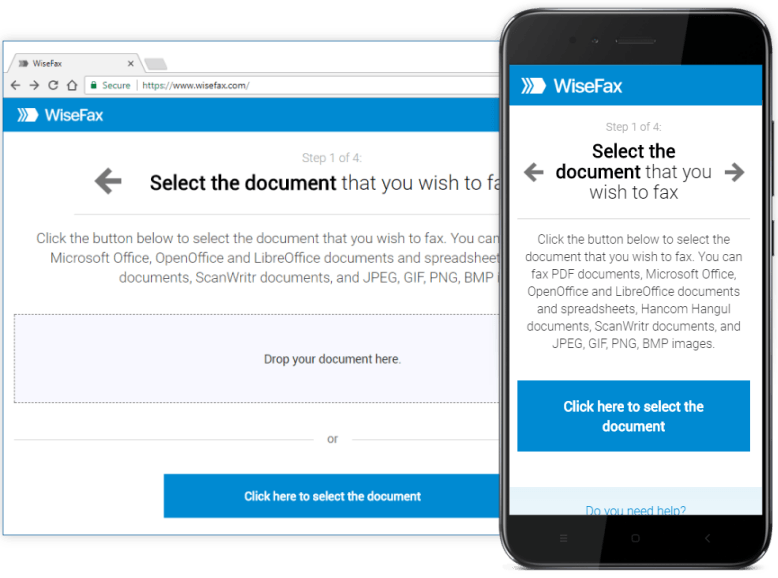
Fax VA forms quickly and easily with no subscription
You can fill in and fax VA forms with WiseFax from a Mac computer, PC or any other device connected to the internet. Using WiseFax online service you can do this quickly and easily without subscription in just a few simple steps.
To prepare and send the VA form, just visit the WiseFax website, upload the VA form you need to fax, fill it, preview it and mark the pages to be sent. WiseFax will do the rest for you. You don’t even have to convert the VA application form as WiseFax will automatically convert it to fax and optimize it before you fill it.
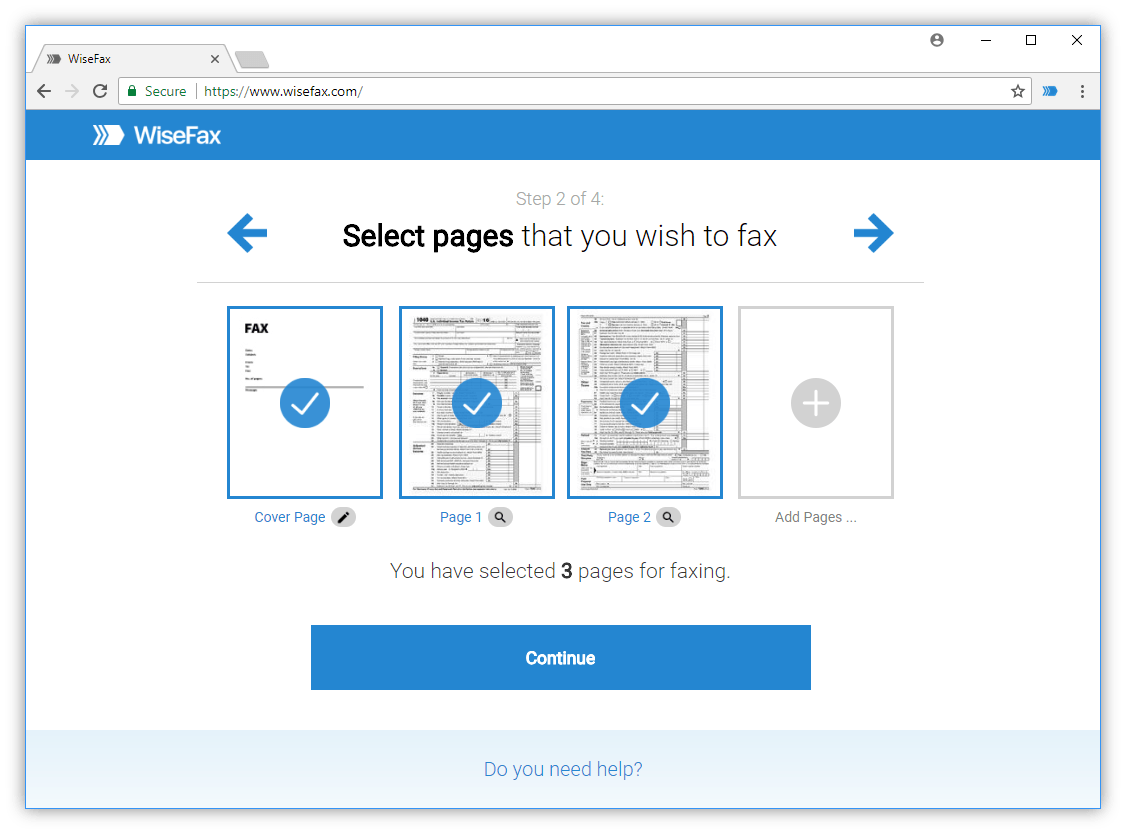
After you upload the document, you can fill in the form. You can insert text, ticks, marks and signatures, or erase unwanted background. After that you just have to enter the fax number. You can find the appropriate fax number on the US Department of Veterans Affairs home page.
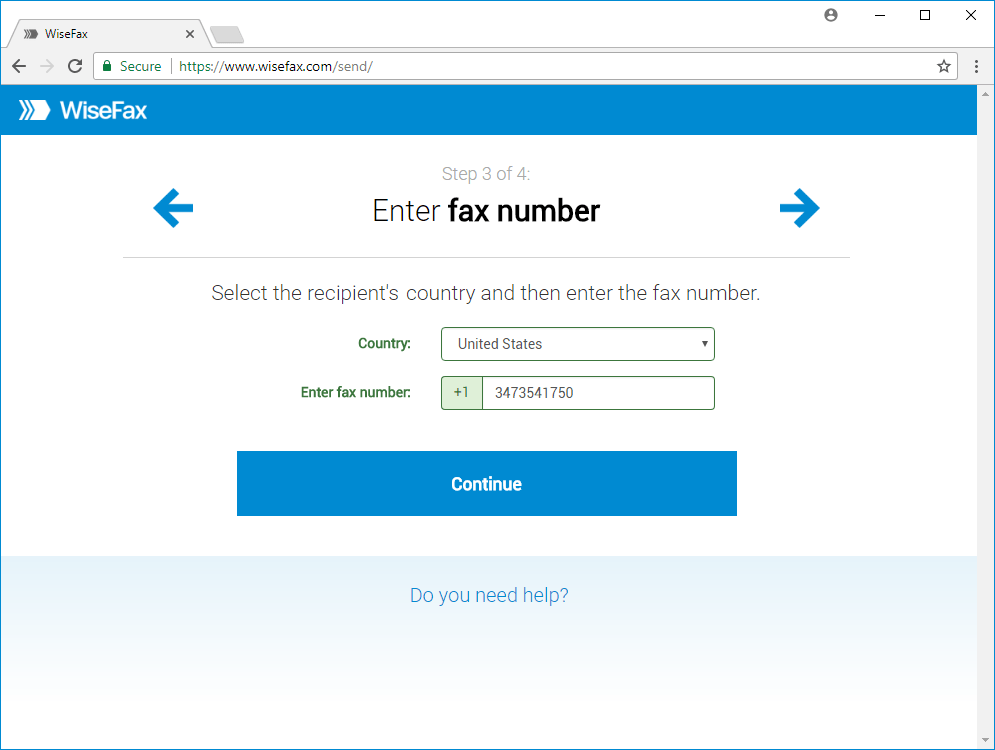
To fax documents you only need WiseFax
WiseFax is the best solution if you decide to fax VA forms. There are no regular monthly costs or hidden fees, so it is an ideal service if you fax just a few documents a year. WiseFax is a pay-as-you-go service, and it will calculate the price and present it to you before sending. So you always know the total cost before you approve it. After successful delivery, you will receive a fax confirmation with a copy of the sent document by email.
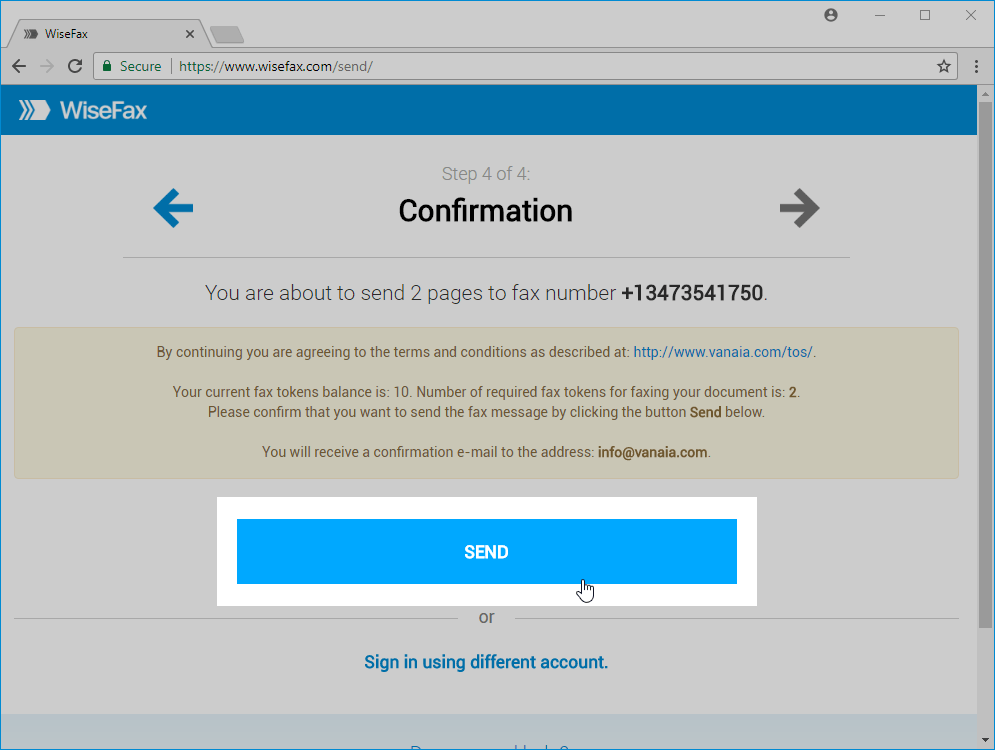
Fax your VA forms without a subscription
WiseFax is an internet (cloud-based) service, so you only have to visit the WiseFax website. In conclusion, you will be able to fill in and fax your VA forms to the US Department of Veterans Affairs easily and quickly. You can do it without any subscription to the efax service. Try it now!
More resources
How to fax a PDF document?
Send a fax from Linux
Fax from a Mac
Fax a document from a PC