


You no longer need a fax machine to receive faxes. You can start receiving faxes securely with WiseFax, an online fax machine service, instantly. What’s more, you can use your existing fax number with WiseFax online fax service. So will you replace your old-fashioned fax machine with a modern online fax solution.
How to get online fax with existing fax number?
- Fill in and sign the number port order.
- Send the filled-in and signed port order, along with the Copy of Bill, as described in page #3 of the form, to info@vanaia.com.
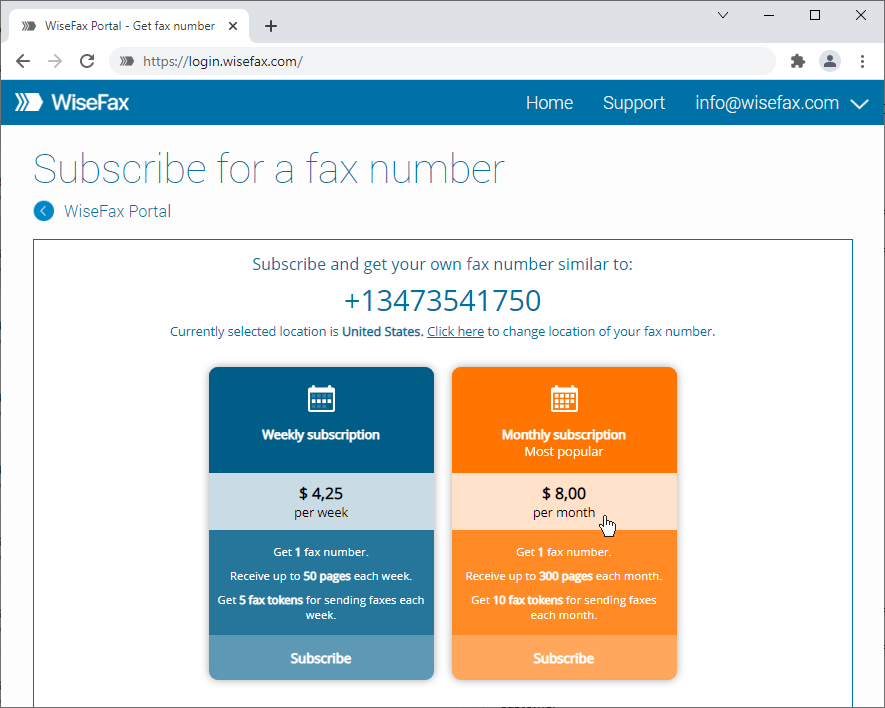
- Sign-up for a fax number subscription at https://www.wisefax.com/get/. Our system will assign you one of the currently available fax numbers, which will be replaced once your fax number porting process is completed.
- Complete the fax number port order at https://sites.fastspring.com/vanaia/product/faxnumbertransfer.
- You can use your fax number from step #3 to receive faxes until your fax number is ported. You do not need a physical fax machine.
How long it takes to port your fax number to WiseFax depends largely on the accuracy of the information you provide and on how quickly your current carrier processes the request. If any issues arise during the porting process, we’ll let you know immediately and provide you with guidance on how you can move the port request forward.
You will be able to use the temporary fax number (from step No. 3 above) while the fax number porting process is in progress.
Understanding Number Porting
Number porting, or local number portability (LNP), is a system that lets you keep your phone numbers when you switch communication service providers. Before number porting, consumers could choose their service provider and pricing, but they couldn’t keep their phone number. LNP changed that. With the advent of number porting, people are now able to retain their phone numbers despite changing their communications service provider.
We are here to help you lower your fax costs by switching from an old-fashioned fax machine to a modern online fax solution, while keeping your existing fax number. By following the steps described above, your fax number will be ported to WiseFax. This will allow you to receive and send faxes online.
More resources
Get your own fax number now
Send a fax with WiseFax
How to fax a PDF document?
There is no problem using an online fax service with your existing fax number. Just subscribe to WiseFax, and start using your own online fax machine now.