


If you have to fill in and send Form 2848, Power of Attorney and Declaration of Representative, it is also possible to send the form by fax. The easiest and quickest way could be sending your filled form 2848 by fax. But fax machines are not very common nowadays. It is very likely that you don’t have access to one to send a fax. If you use WiseFax fax service, you don’t need a fax machine, just a computer or device that is connected to the internet.
You can fax form 2848 with WiseFax from a Mac computer, PC or any other device connected to the internet. WiseFax lets you use WiseFax online service or WiseFax app to do this quickly and easily without subscription in just a few simple steps.
Simply visit the WiseFax website or install the app and start sending faxes. You don’t need a subscription, because you only pay for the service as you go. With no hidden fees. Quick, simple and transparent.
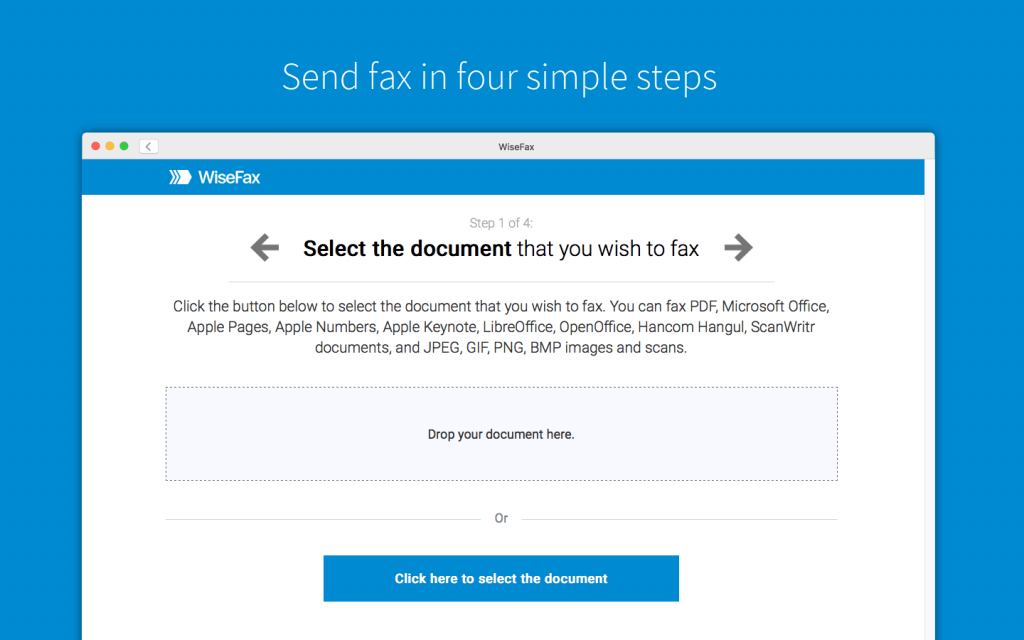
Fax Form 2848 quickly and easily with no subscription
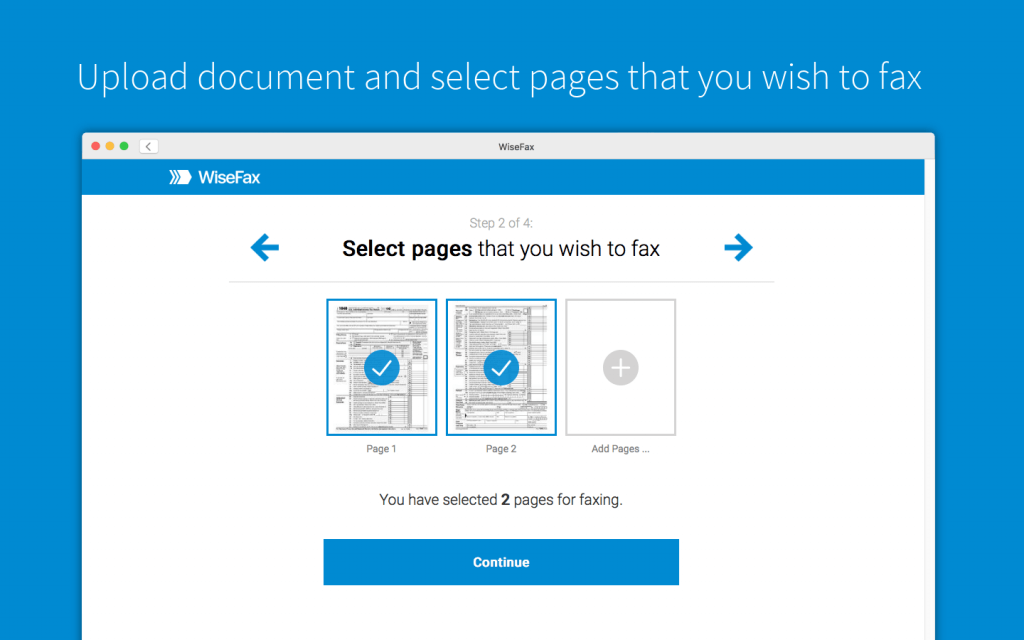
To send faxes, just visit the WiseFax website or install the WiseFax app, upload the document you need to fax, preview it and mark the pages to be sent. WiseFax will do the rest for you. WiseFax recognizes also Adobe Acrobat PDF where your form was filled and saved in. So, you don’t have to convert the document manually. WiseFax will automatically convert your document to fax and optimize it before sending.
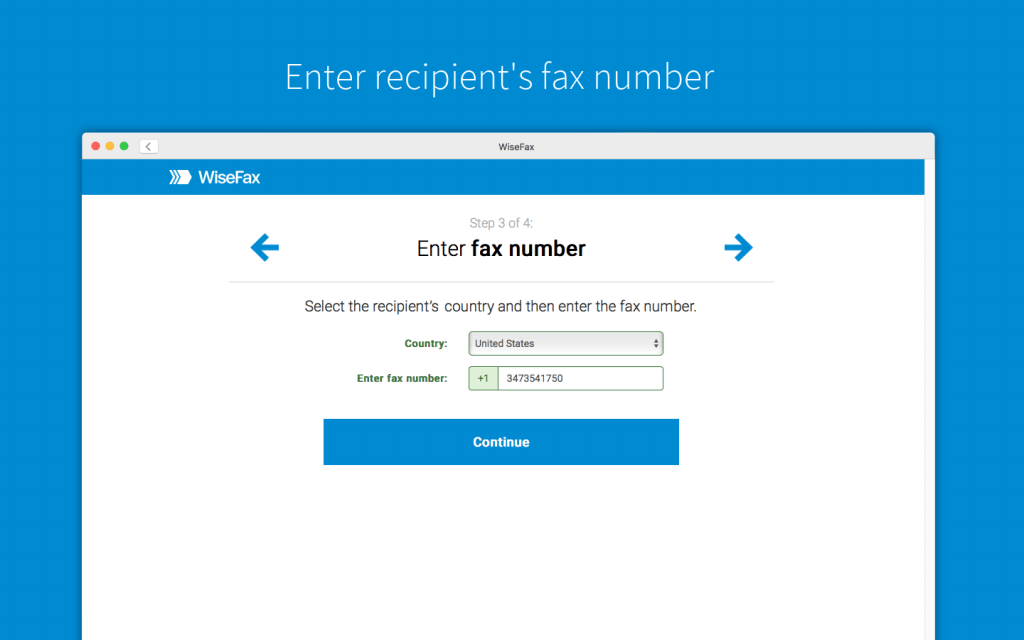
After you upload the document, you just have to enter the fax number. Make sure that you are faxing Form 2848 to the right fax number.
To fax form 2848 you only need WiseFax
WiseFax is the best solution if you decide to send document by fax. There are no regular monthly costs or hidden fees, so it is an ideal service if you fax just a few documents a year. WiseFax is a pay-as-you-go service, and it will calculate the price and present it to you before sending. So you always know the total cost before you approve it. After successful delivery, you will receive a fax confirmation with a copy of the sent document by email.
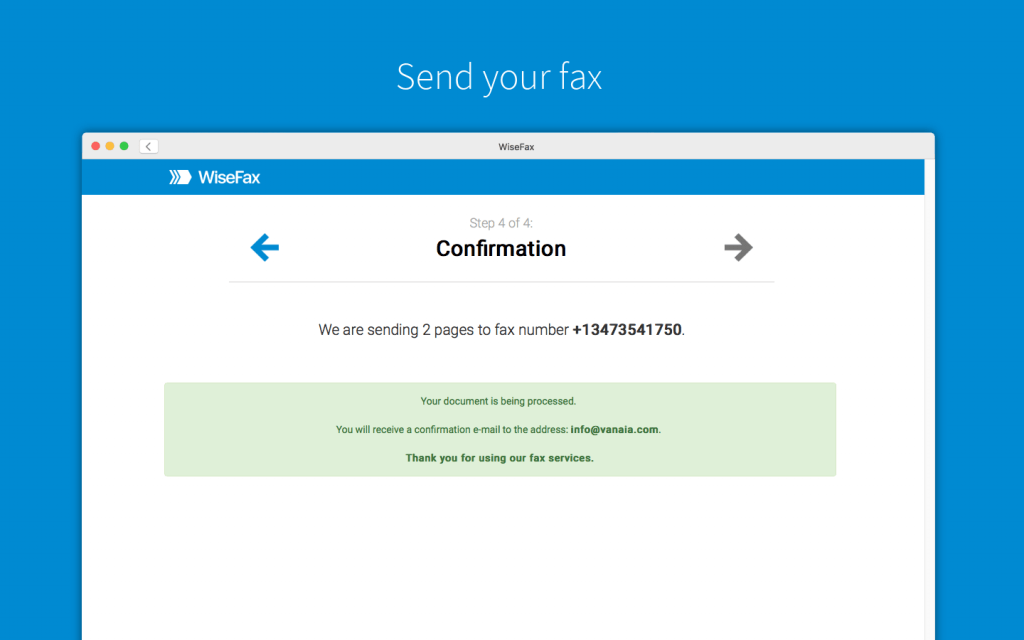
Fax Form 2848 online without a subscription
You can install the WiseFax app or visit the WiseFax website. In conclusion, you will be able to fax Form 2848 to selected fax number easily and quickly. You can do it without any subscription to the efax service. Try it now!
More resources
Best fax app for iOS
WiseFax app for Box
WiseFax add-on for Google Docs
How to fax a PDF document?
How to send a fax online?