


WiseFax is a Windows 10 fax service intended for sending efaxes quickly and easily. You can do it from any PC with Windows 10, and also using any Mac, mobile phone or tablet with internet access. Furthermore, you don’t have to install any application. Simply visit the WiseFax website! You don’t need a subscription, because you only pay for the service as you go. With no hidden fees. Quick, simple and transparent.
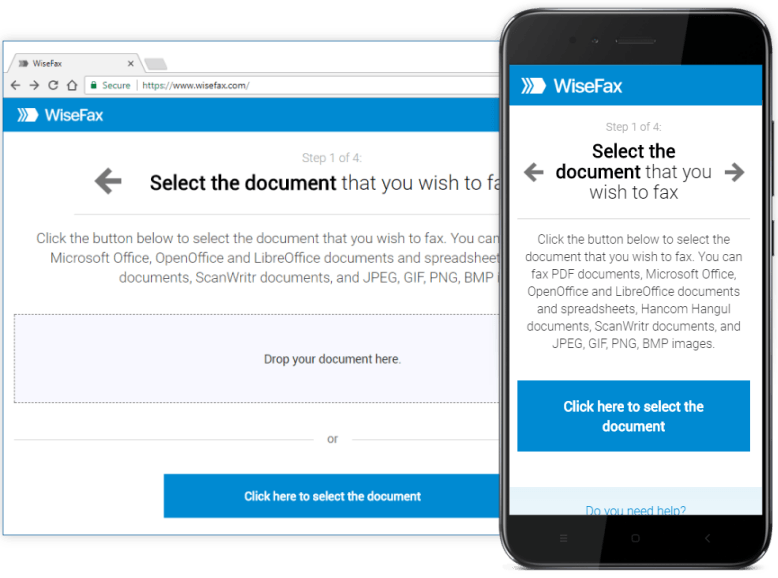
It is quick and easy to send eFax with Windows 10 WiseFax fax service
To send efaxes, you can use any device that is connected to the internet. For example: PC, Mac, smartphone or tablet computer. Just go to the WiseFax website, upload the file you want to efax, preview it, mark the pages to be sent, enter the fax number, and that’s it. WiseFax will do the rest for you. WiseFax recognizes all the most common file types, such as MS Word documents, MS Excel spreadsheets, Adobe Acrobat PDF, OpenOffice and LibreOffice documents, ScanWritr documents and many others. So, you don’t have to convert documents manually. It also supports sending JPEG, GIF, PNG, HEIC, TIFF and BMP picture formats, so you can easily take a photo of your physical document using your smartphone or scan it using your home or office scanner. WiseFax will automatically convert your document to efax and optimize it before sending.

No subscription is needed to send eFax with WiseFax
WiseFax is a pay-as-you-go Windows 10 fax service. There are no regular monthly costs and no hidden fees. You will be charged only for successfully sent online faxes. The price is calculated and presented to you before sending. So you always know the total cost before you approve it. The price is based only on the number of pages and the recipient’s location. After successful delivery, you will receive a fax confirmation by email.
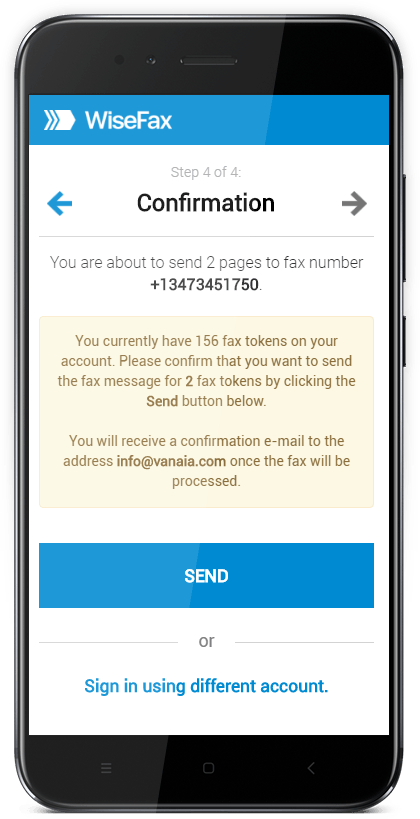
No installation is required to send eFax with WiseFax
WiseFax is a cloud-based web service. So, there is no need to install anything on your computer, smartphone or tablet. With Windows 10 fax service called WiseFax you will be able to send every document from any device to any fax machine in the world. Try it now! Using Windows 11? See Windows 11 fax service.