


Have you found asking yourself: “Where to fax near me?” and you want to do this as soon as possible? There is no need to look around because the best option is right in front of you. WiseFax allows you to start faxing right away from your computer or mobile device.
How and where to fax near me?
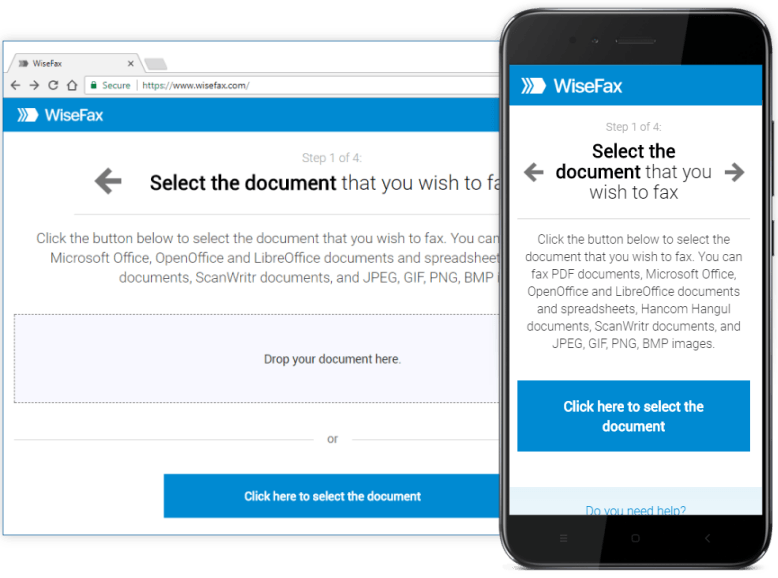
- Visit WiseFax website
- Upload your document to WiseFax
- Select the recipient’s country and enter the recipient’s fax number
- Log in to WiseFax and purchase fax tokens, if required
- Click the Send button to confirm
Why should I use the WiseFax service to send fax?
Faxing is still popular in many parts of the world and many companies still use this communication method to send and receive documents securely. The best, and often also the easiest and cheapest, solution is to use an online service that helps you with faxing. If you find yourself in a position where you have to send a fax and you don’t know where to do that, WiseFax can help you do this easily and securely. Just follow the steps above.
Even more advantages with WiseFax
WiseFax is a pay-as-you-go service. Therefore, there are no regular monthly costs and no hidden fees. WiseFax calculates the price and presents it to you before sending. So you always know the total cost before you approve it. The price is based only on the number of pages and the recipient’s geographic location. Also, you will receive a confirmation to your email address after a successful delivery.
WiseFax offers several ways to send faxes. You can use an app, browser extension or add-in. Do it from Android, macOS, Windows 10 and 11, Google Chrome, Firefox, Microsoft Word, Microsoft Office 365, Google Docs, Google Drive and Box cloud storage.
Faxing from your computer, phone or other device connected to the internet is possible with WiseFax. Try it and you’ll love it!
More resources
How to send a fax from Google Docs?
Sending a fax with the Android fax app
How to send a fax from Box easily, quickly and securely?
How to send a fax from Google Chrome?
Sending a fax from Word
How to send a fax from Office 365?
Sending a fax with the Windows 10 app
Send a fax with the Windows 11 app