


The midterms can involve more than choosing candidates on Election Day. Depending on your location, voter status, and election-office instructions, you may need to return a registration form, ballot-related document, eligibility record, or other election material by a specific deadline. When fax is an approved return method, an online fax service can help you send that document from a browser or mobile device.
WiseFax is designed for occasional and ongoing faxing without a traditional fax machine. You can upload a document, enter the recipient’s fax number, send it online, and keep a transmission record. The service does not determine whether fax is permitted for your midterms materials, so always confirm the current instructions with the appropriate election authority before sending.

What are the midterms?
In the United States, the midterms are general elections held halfway through a presidential term. These elections may include contests for federal, state, and local offices, as well as ballot measures. The documents and procedures associated with the midterms can differ from one jurisdiction to another.
That variation matters when you are preparing election documents. One office may accept a fax, while another may require mail, an online portal, in-person delivery, or a different form of electronic transmission. Before opening a fax service, identify the exact recipient, the permitted delivery channel, the submission deadline, and any follow-up step required by the election office.
Why use online faxing for midterms documents?
A web-based fax service can be useful when you need to transmit a document but do not have access to a physical fax machine. This may be relevant for voters who are traveling, working remotely, living away from their voting jurisdiction, or trying to complete a time-sensitive administrative task outside a traditional office.
Online faxing also keeps the preparation and transmission process in one digital workflow. Instead of printing a form, signing it, scanning it, finding a fax machine, and hoping the transmission completes, you can prepare the file and send it through a browser or supported app. The number of steps still depends on the form and the election authority’s requirements.
Confirm the official midterms instructions first
The most important step is confirming that fax is allowed for the specific document you need to return. Do not rely on a general article, an old form, or an unofficial phone number. Use the current instructions provided by the election authority responsible for your registration or ballot.
Before sending, confirm the following details:
- The correct fax number and the name of the receiving office.
- Whether fax is an approved return method for your voter category and document type.
- The submission deadline, including the relevant time zone and whether receipt is required by that time.
- Whether a signature, witness, cover sheet, identification detail, or additional certification is required.
- Whether the office asks you to call, email, or use an online system to confirm receipt.
Save a copy of the instructions with your document. If the election office updates its requirements, the newest official guidance should take priority over any saved copy.
Prepare your document before sending
A clear, complete file gives the recipient the best chance of processing your submission. Use the file format and page arrangement requested by the receiving office. If no format is specified, a readable PDF is often practical because it preserves page order and layout, but the election authority’s instructions control.
Check every required field
Review names, addresses, dates, identification numbers, signatures, checkboxes, and contact information. Make sure the text is legible and that no page is missing. If you must sign by hand, follow the form’s instructions rather than assuming that a typed name or an inserted image of a signature will be accepted.
Use the right recipient information
Fax numbers can be easy to mistype. Compare the number you enter with the official instructions before sending. If the office provides a cover-sheet format or a reference number, include it exactly as requested. Avoid adding unnecessary sensitive information to a cover page.
Inspect scans and photographs
Scanned pages can contain shadows, cropped edges, low contrast, or handwritten marks that are difficult to read. WiseFax provides document-preparation and image-enhancement tools that may help improve presentation. Use them carefully: editing should improve readability, not change the meaning of a form or hide a required field. Open the final file at full size before transmission.
How to send midterms documents with WiseFax
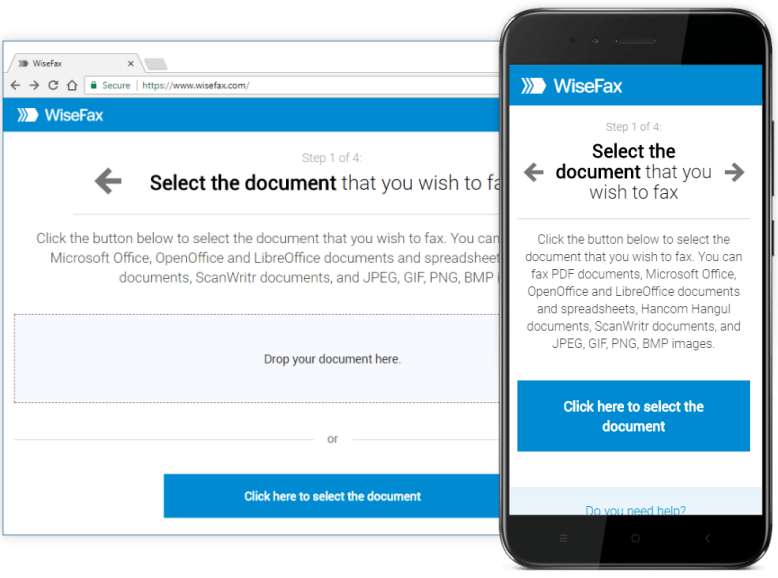
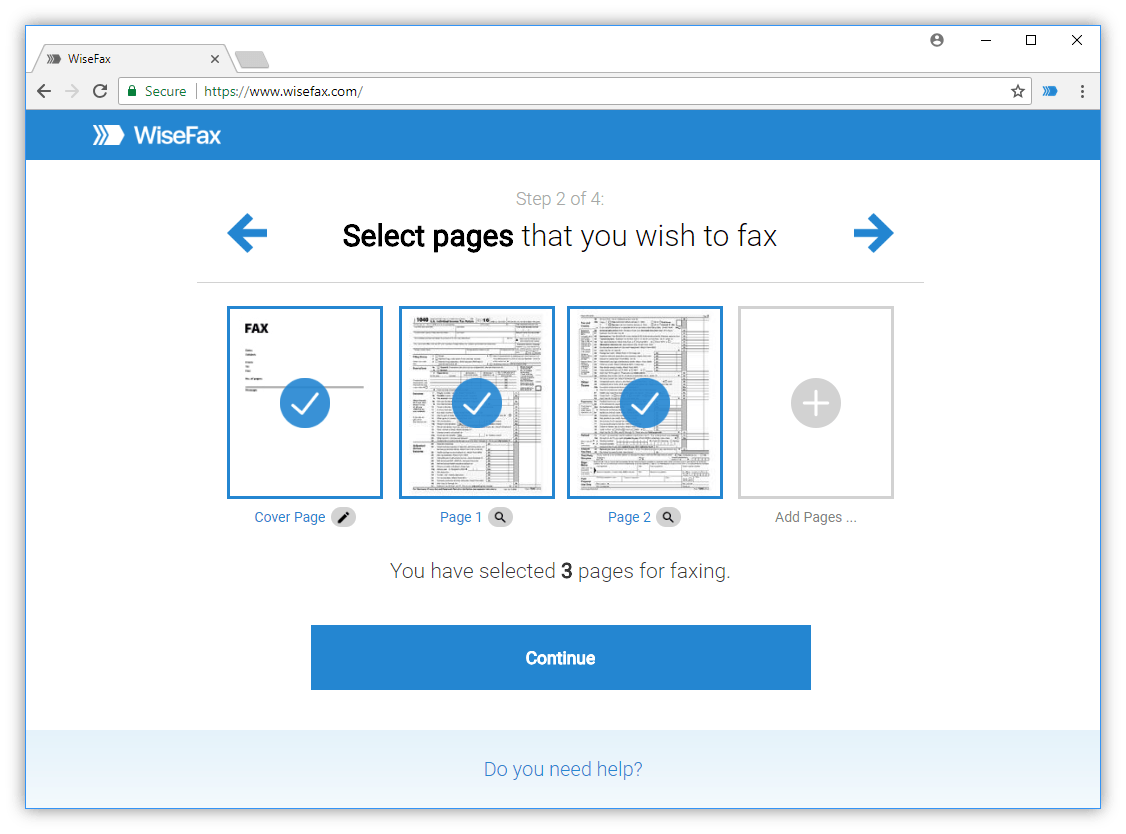
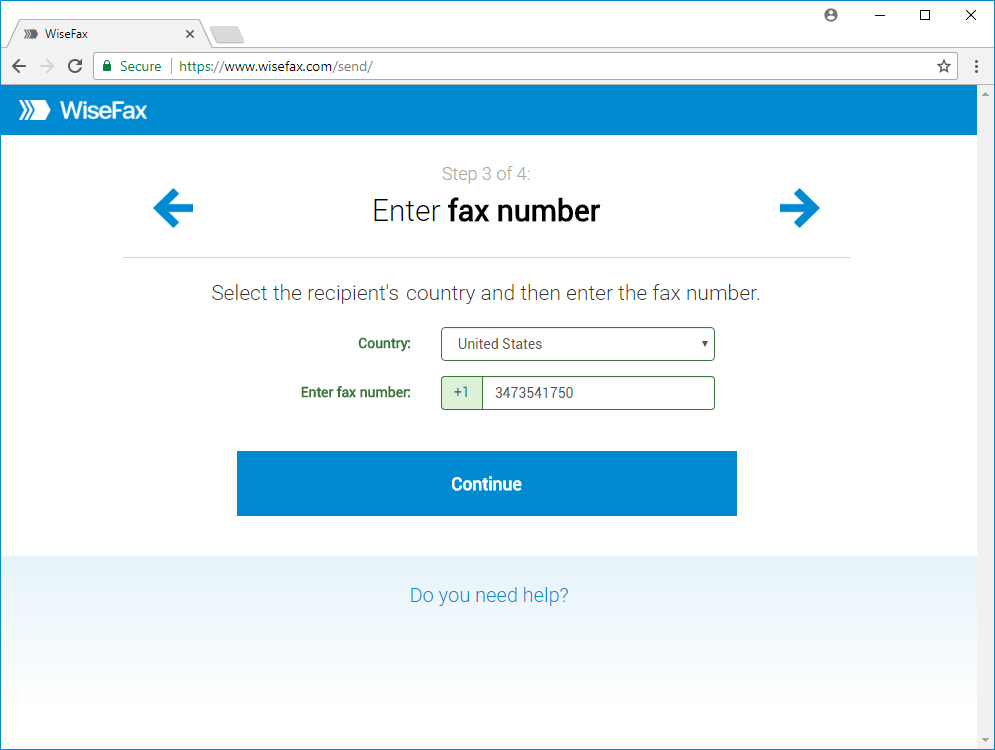
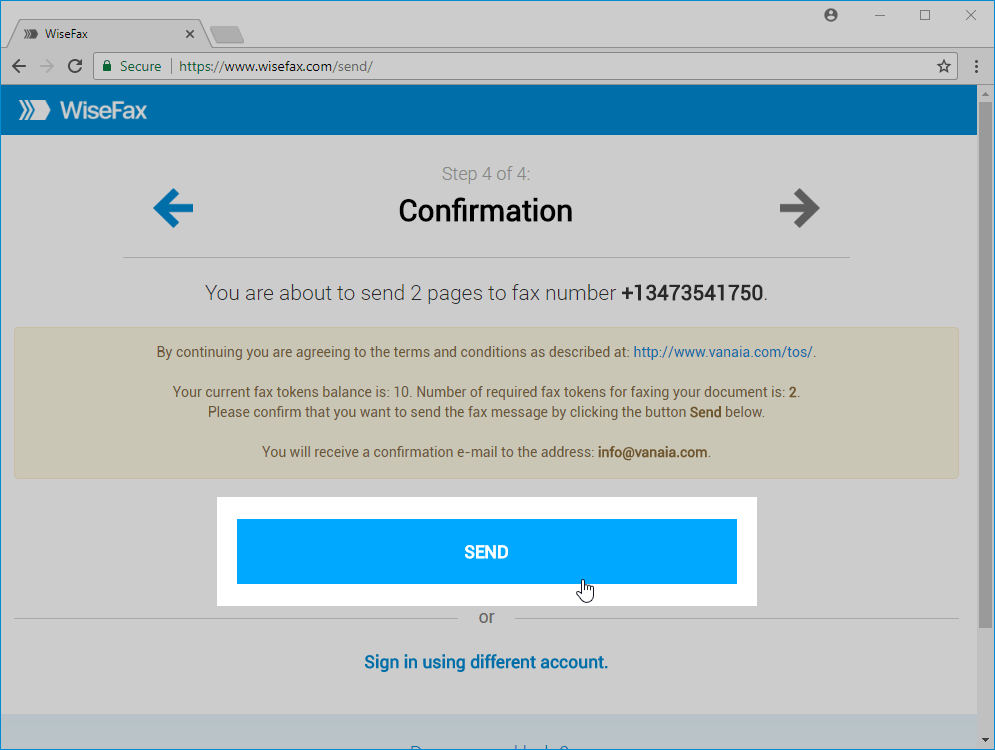
WiseFax supports a simple online workflow for sending a fax. The exact screens and available options may change, but the general process is:
- Upload the completed election document.
- Select the recipient’s country and enter the official fax number.
- Review the document, page order, recipient information, and any cover sheet.
- Sign in or create an account and purchase fax tokens if the service requires them.
- Send the fax and wait for the transmission status or confirmation report.
Before you click Send, compare the final preview with the copy you intend to submit. This last review can catch an incomplete upload, a rotated page, an unreadable scan, or a fax number entered incorrectly.
Track delivery and keep your records
Meeting a midterms deadline involves more than submitting a file. Keep the original document, the final transmitted copy, and any fax confirmation report. WiseFax can provide status tracking, email notifications, retry behavior, and confirmation information for outbound faxes, depending on the service workflow available at the time of transmission.
Review the report for the recipient number, date, time, page count, and delivery status. Store it somewhere you can access later. If the transmission fails, check the number and document, follow the election office’s instructions, and retry only when appropriate. A delivery report is useful evidence of transmission, but it is not the same as official receipt or acceptance.
Sending versus receiving election documents
Most midterms-related faxing needs involve sending a completed form to an election office. Some voters or organizations may also need to receive a document by fax. WiseFax offers separate workflows for outbound sending and incoming fax numbers, and the availability, pricing, and allowances for those services can change.
If you use an incoming fax number, confirm that the sender has the correct number and that you are authorized to receive the document. Treat received election materials as sensitive records. Download them promptly, check that every page arrived, and follow the election authority’s instructions for completing or returning them.
A midterms faxing checklist
Use this checklist before sending an election document by online fax:
- Confirm that fax is an approved return method for your specific midterms document.
- Get the current fax number and submission instructions directly from the responsible election office.
- Check the deadline, time zone, signature rules, cover-sheet requirements, and receipt instructions.
- Complete every required field and inspect every page for legibility and correct order.
- Verify the recipient number and any identifying reference information.
- Send the document early enough to handle a failed transmission or follow-up call.
- Save the final file, transmission report, and official instructions for your records.
- Confirm receipt with the election office when its instructions recommend or require it.
Conclusion
For eligible voters whose election office accepts fax, WiseFax can make midterms document transmission more convenient. Browser and mobile access remove the need for a physical fax machine, while document editing, image enhancement, delivery tracking, and confirmation reports can support a more organized workflow.
The election authority remains the source of truth for midterms deadlines and submission rules. Check the official instructions first, prepare the document carefully, send it before the deadline, retain your records, and verify receipt whenever possible.
This article provides general information about document transmission. It is not legal advice, election advice, or a substitute for instructions from your election authority. Requirements can change, so confirm the current rules before sending any election-related document.