


For military members and U.S. citizens living overseas, early voting can involve more than choosing a candidate ahead of Election Day. It can also mean completing an absentee ballot, meeting a local deadline, and returning election paperwork across time zones. When your state or local election office says fax is an approved return method, WiseFax gives you a practical way to send those documents online – without finding a fax machine.
How online faxing can support early voting
The National Law Review reports that many jurisdictions permit military and overseas voters to return absentee ballots or ballot-related paperwork by fax under the Uniformed and Overseas Citizens Absentee Voting Act (UOCAVA). However, voters abroad may not have access to a fax machine, printer, or traditional fax subscription. WiseFax addresses that equipment gap with a browser-based, pay-as-you-go service.
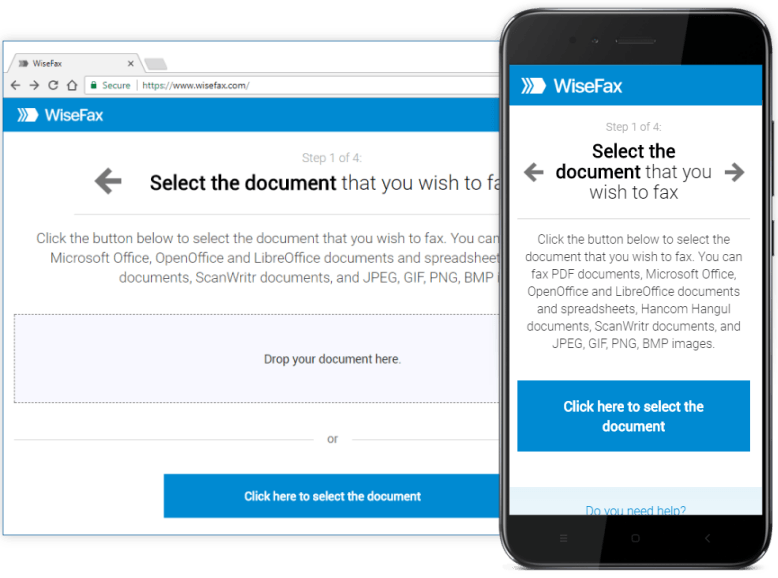
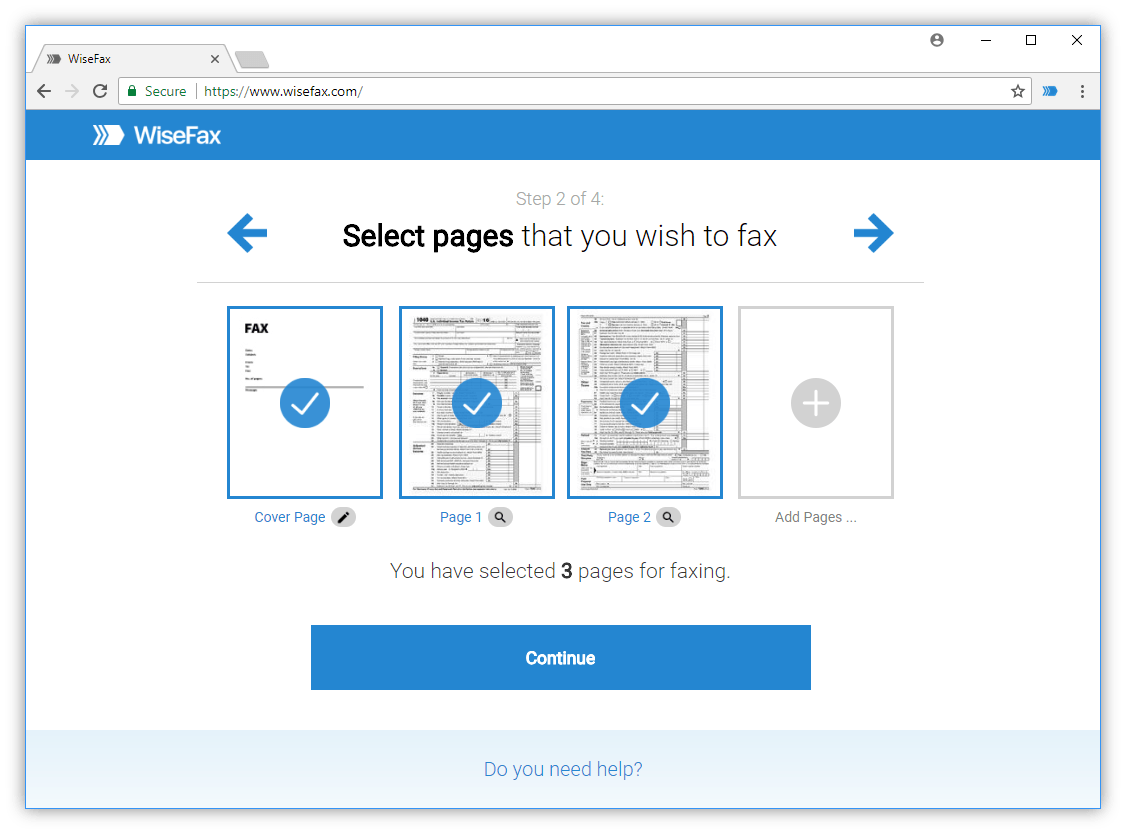
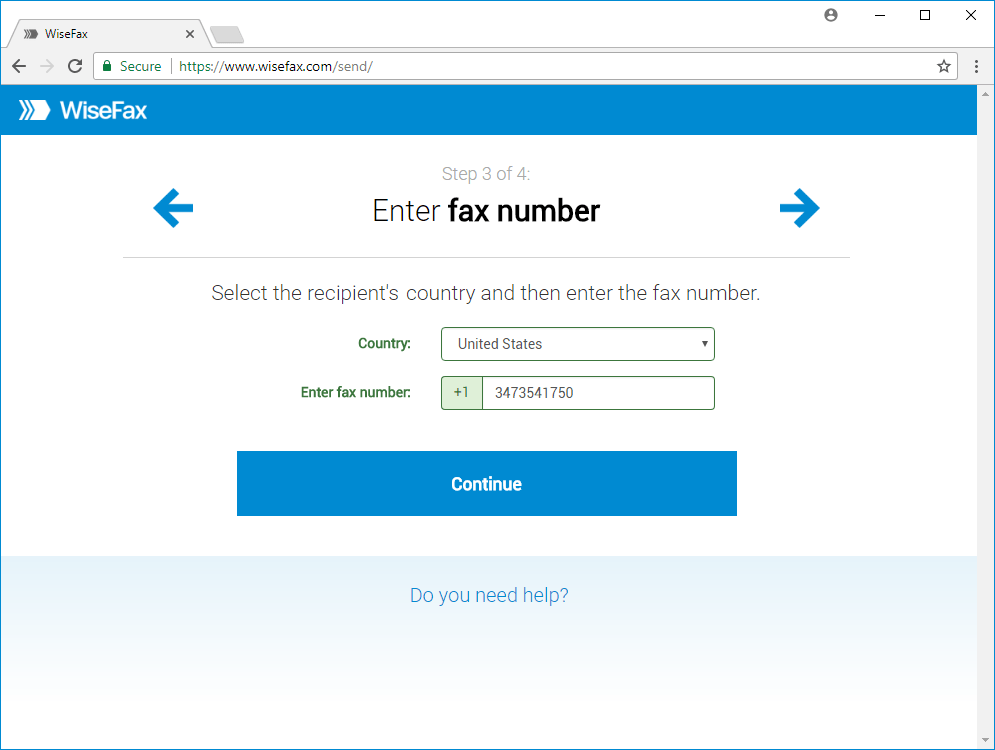
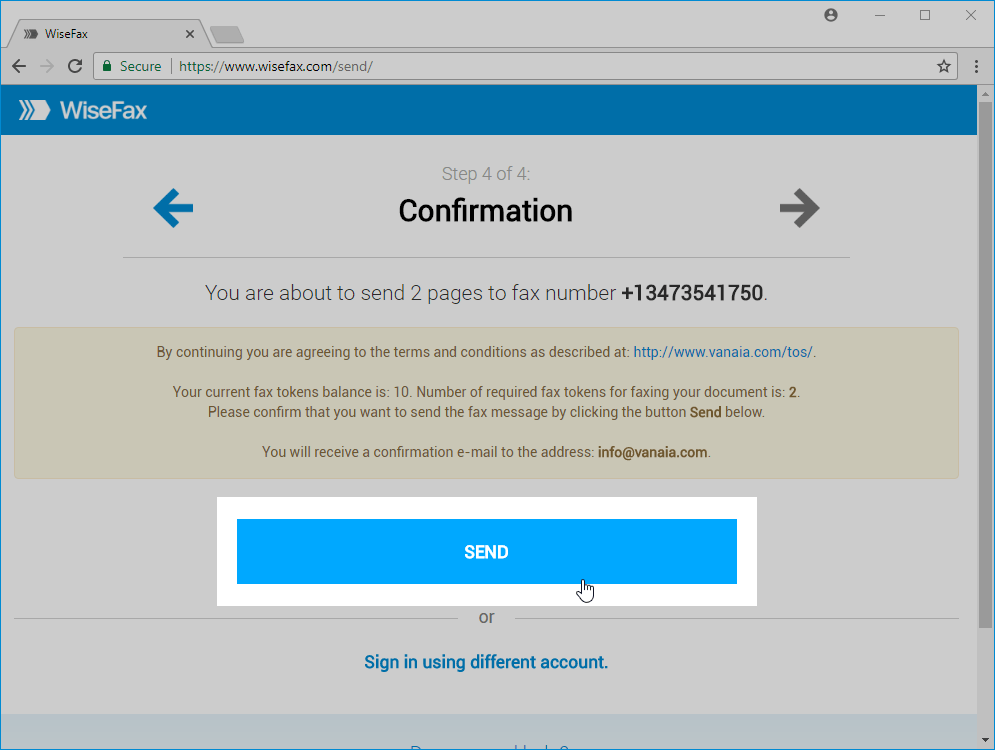
First, you upload the document from a computer, tablet, or phone. Next, you select the recipient’s country and enter the election office’s fax number. Then, you review the transmission and send it. You pay for the fax you send, so you do not need to commit to a long-term plan just to return one time-sensitive form. As a result, the process can be useful for a voter stationed overseas, traveling, or working in a location where office equipment is limited.
WiseFax also supports documents in common formats, including PDF, Microsoft Office files, iWork files, and common image types. You can therefore work from an electronic ballot packet, a scan, or a clear phone photo. The service works through a web browser, while optional Windows, macOS, iOS, and Android apps add flexibility when you need to work from a mobile device.
Improve the document before you fax it
A readable document is essential when an election office must review a scanned form. Fortunately, WiseFax includes editing tools that let you prepare the file before transmission. Its automatic image enhancement can remove distortion and improve contrast, which is particularly helpful when you photographed a document under uneven lighting.
In addition, edge detection can identify page margins and help you crop away background areas. You can rotate a page if the camera captured it sideways. You can also use the erase tool to remove stains or unwanted marks, while the pen and marker tools help you add ticks, circles, or highlights. These small corrections make the final fax cleaner and easier to inspect.
Image enhancement does not replace the need for a complete, accurate ballot. Instead, it helps present your completed document more clearly. Before you send, compare the edited version with the original instructions and make sure no required field, signature, or identifying information has been cut off.
Fill in voting forms online instead of printing them
Many voting packets contain fields that must be completed before submission. With WiseFax, you can use the text tool to fill in forms online. You can add a signature, save up to three signatures for reuse, and position each one where the form requires it. You can also use the pen tool to mark checkboxes or circle an answer.
That means you may not need to print, handwrite, scan, and upload the form again. Instead, you can upload the file, complete it digitally, inspect every page, and fax the prepared copy. This approach saves steps; moreover, it reduces the risk of a faint scan or an accidentally omitted page. If the election office requires a particular signature method or original document, follow that instruction rather than relying on digital editing.
A simple early voting fax checklist
- Confirm fax eligibility and the official number.
- Download the correct form.
- Complete every required field.
- Check your signature and page count.
- Enhance or crop images only when the content remains intact.
- Finally, send through WiseFax and save the delivery confirmation for your records.
This checklist does not replace official guidance or legal advice. It simply helps reduce avoidable mistakes in a time-sensitive process.
Conclusion
Timing is often the biggest concern for overseas voters. Postal delivery can take longer across borders, and time-zone differences can make a local deadline feel closer than expected. When fax is allowed, online sending can remove the need to locate hardware first. WiseFax includes automatic retries, delivery status tracking, and delivery confirmations, so you can keep a record of the transmission attempt.
If you need to receive a document from an election office, WiseFax also offers fax-number subscriptions. A dedicated number can be useful for incoming materials, although it is not necessary for a one-time outgoing fax. Choose the option that matches your needs and avoid paying for features you do not require.
Before you press send, take one calm final pass. Compare the recipient number with the official instructions, confirm that every page is present, and check that your name and signature appear exactly where requested. If you edited a phone photo, zoom in on small text and make sure the contrast is strong enough to read. Afterward, keep the original file, the completed copy, and any WiseFax delivery record together. This simple habit creates a clearer paper trail while you wait for the election office’s next instruction.
Ultimately, early voting from abroad still starts with the official election office. Verify the accepted return methods, fax number, deadline, cover-sheet rules, and confirmation process before you send anything. Once fax is confirmed as an option, WiseFax brings the practical parts together: upload, fill, improve, review, and send – without a fax machine.