


Overseas citizen voting can be difficult when distance, time zones, and limited office equipment stand between a voter and an election deadline. For U.S. citizens living abroad or serving overseas, the process may include requesting an absentee ballot, completing election forms, and returning documents to a local election office. When that office permits fax, WiseFax provides a practical online way to prepare and send the paperwork without a fax machine.
However, every election office sets its own rules. Therefore, confirm the approved return methods, official fax number, signature requirements, and deadline before you send a document. WiseFax can help overseas citizens with faxing their ballot papers.
Start overseas citizen voting with the official instructions
Many military and overseas voters use procedures connected with the Uniformed and Overseas Citizens Absentee Voting Act (UOCAVA). In some jurisdictions, eligible voters may fax an absentee ballot, registration material, or ballot-related form. The National Law Review press release about WiseFax describes how online faxing can help voters who do not have access to traditional fax equipment.
First, visit the relevant election office website or contact the office directly. Ask whether fax return is allowed for your specific document. Next, check whether you need a cover sheet, a handwritten signature, an identification form, or a separate confirmation. Also, make note of the time zone used for the deadline. These details matter because a fax sent to the wrong number or after the stated cutoff may not count.
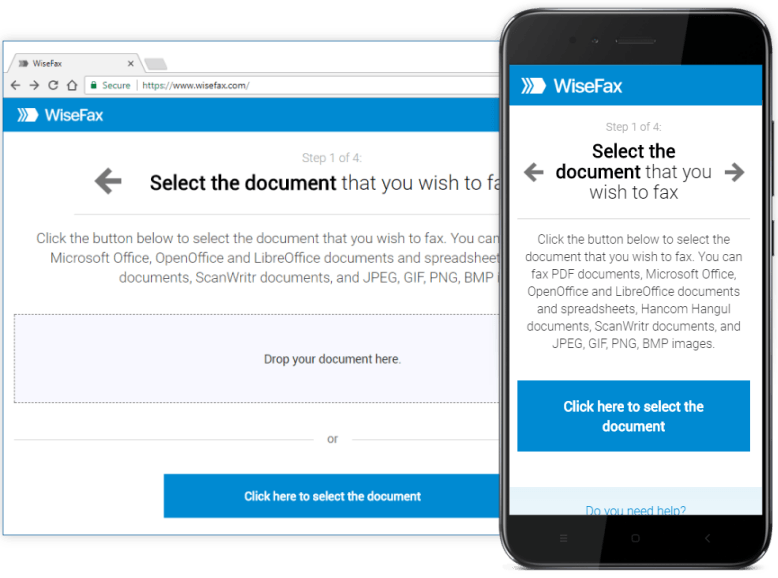
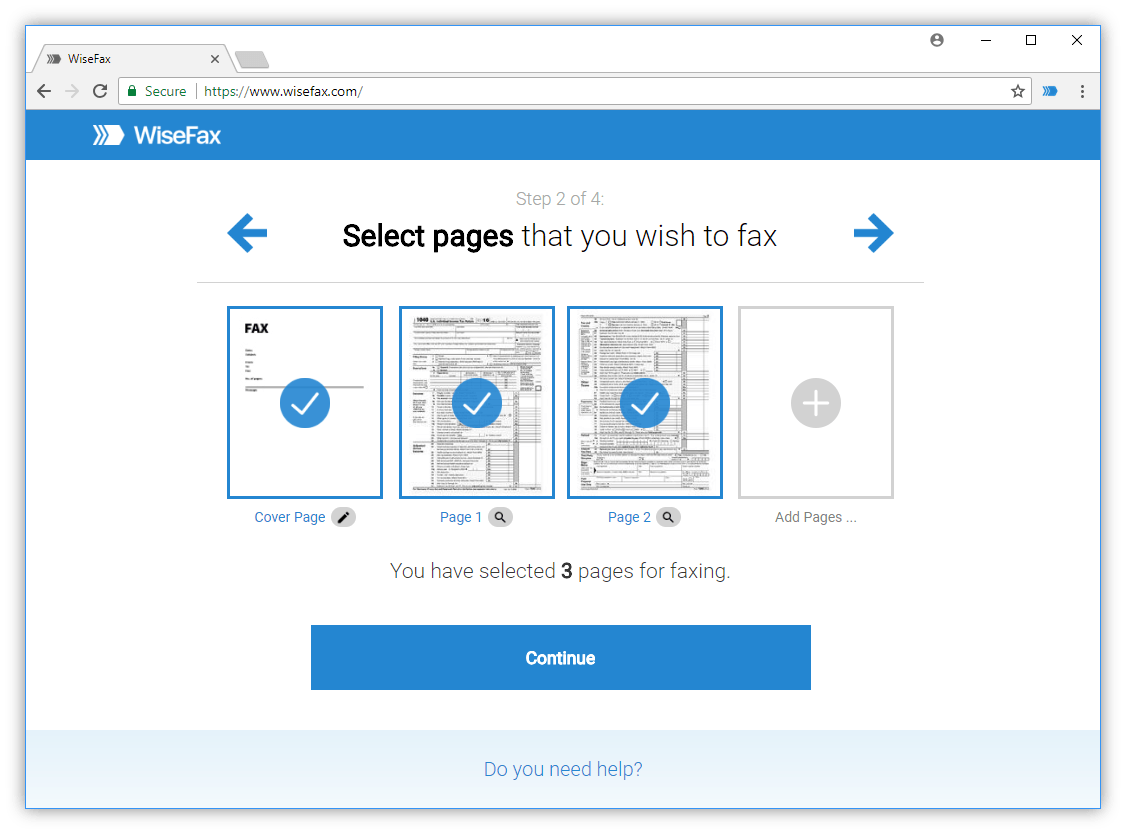
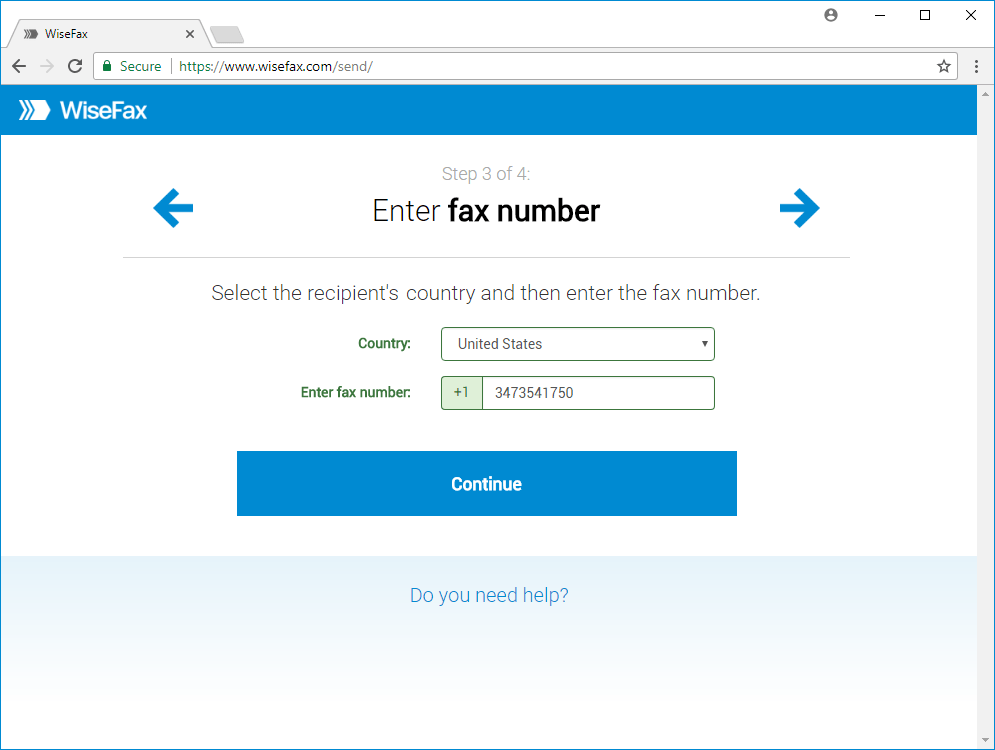
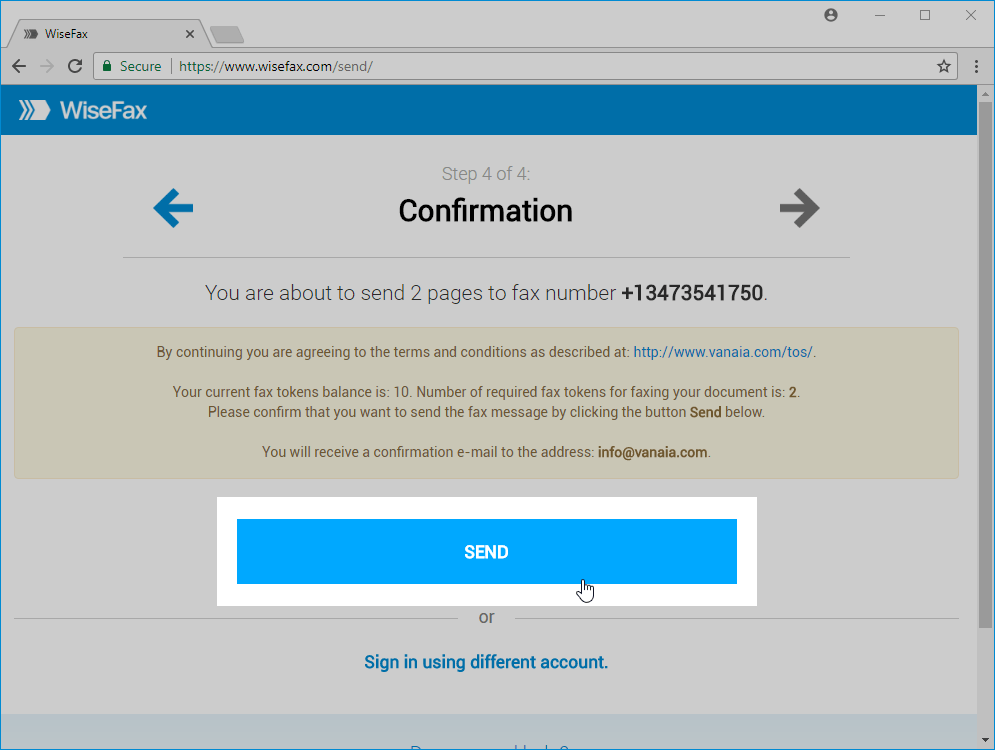
Once the instructions are clear, WiseFax keeps the next steps simple. Upload your document, select the recipient’s country, enter the official fax number, and review the file. Then, purchase fax tokens if required and send it. Because WiseFax uses a pay-as-you-go model, you can send a one-time document without committing to a long-term subscription.
Prepare overseas voting documents online
Overseas citizen voting often starts with a document received as a PDF, office file, scan, or phone photo. WiseFax supports common formats, including PDF, Microsoft Office and iWork documents, and image files such as JPEG, PNG, and HEIC. As a result, you can work from the file that you already have instead of converting it through several separate programs.
Before sending, inspect the complete document. Make sure every page appears in the right order and that the form matches the current election instructions. If the document contains blank fields, use the WiseFax editing tools to add text. You can also use the pen tool to mark a checkbox, circle a response, or underline a reminder.
In addition, WiseFax lets you add and position a signature. This can reduce the need to print, handwrite, scan, and upload the form again. Nevertheless, follow the election office’s signature rules. If it requires an original handwritten signature or a particular declaration, complete the document in the required way rather than assuming that every digital option is acceptable.
Use image enhancement for clearer fax pages
A readable page gives an election office a better chance to review the information correctly. Fortunately, WiseFax provides automatic image enhancement that can remove distortion and improve contrast. This feature helps when a voter takes a phone photo in uneven light or scans a page with a distracting background.
Furthermore, edge detection can help identify the document margins, so you can crop away areas outside the page. You can rotate a sideways image, erase stains or unwanted marks, and use the marker tool to highlight a section for your own review. These tools improve presentation; however, they should never remove a required field, signature, page number, or identifying detail.
After editing, zoom in on small text, dates, names, and signatures. Check the edges of every page as well. Image enhancement can improve legibility, but it cannot replace a missing page or correct an inaccurate answer. Therefore, compare the final version with the official form before you send it.
Overseas voting fax checklist
- Confirm that fax is allowed.
- Use the current form and official number.
- Complete every required field.
- Check signatures and page order.
- Enhance or crop images only when the content remains intact.
- Finally, save the WiseFax delivery record and follow any confirmation instructions from the election office.
This checklist does not replace official guidance or legal advice. It simply helps reduce avoidable mistakes in a time-sensitive process.
Conclusion
When an election deadline is close, a short checklist can prevent avoidable mistakes. Confirm the recipient number, review every required field, check the signature, and verify the page count. Afterward, send the completed file through WiseFax and save the delivery confirmation. WiseFax includes automatic retries, fax status tracking, and delivery confirmations, so you can keep a record of the transmission attempt.
If an election office needs to send a document back to you, WiseFax also offers fax-number subscriptions. A dedicated number may help with incoming paperwork, although you do not need a subscription for a one-time outgoing fax. Choose the option that fits your situation and keep incoming instructions separate from outgoing requirements.
Ultimately, overseas citizen voting depends on the official process in the voter’s jurisdiction. Verify the permitted return method, fax number, deadline, signature rules, and receipt process before you send anything. Once fax is confirmed as an option, WiseFax brings the practical steps together: upload, fill, improve, review, and send online from almost anywhere.