


WiseFax is an ideal online fax sending service, as you can scan, crop, enhance and fax your document. WiseFax is an all in one online fax service that allows you to prepare and edit your documents before faxing. You can easily upload or scan your document and fax it. Select the pages that you wish to send and fax it directly from your PC, Mac, smartphone or tablet in just a few simple steps.
Scan, crop, enhance and send fax
Preparing documents for faxing is easy with WiseFax
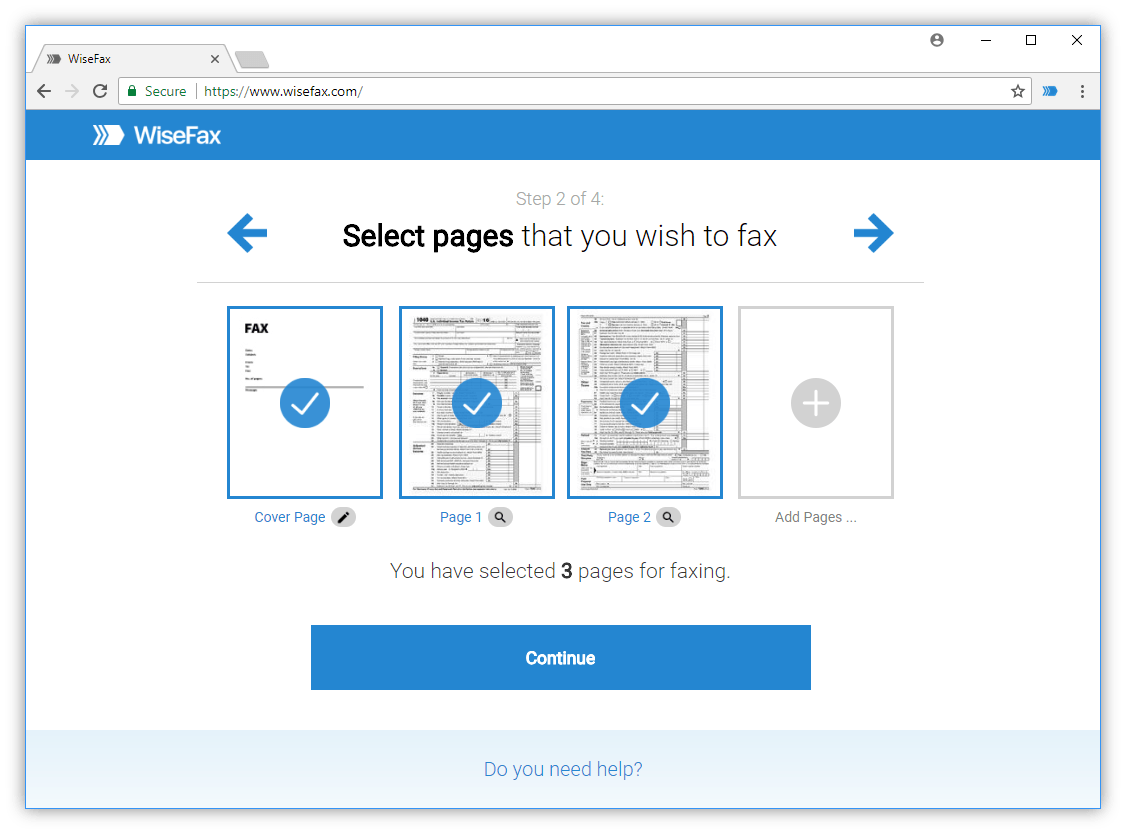
You can use any device that is connected to the internet to prepare a document and fax it. Simply upload one or more documents, adjust fax image quality, and add a cover page. Cropping and adjusting document contrast before faxing is an easy and quick procedure with WiseFax.
WiseFax allows you to improve document quality and retouch it. Besides this, you can also fill in forms by inserting text, ticks, marks and signatures, or even erase unwanted parts of the documents. You can therefore quickly and easily scan, crop, enhance and fax your document to any fax number in the world.
You can use WiseFax online service on a PC, Mac, smartphone or tablet computer. Just upload your document to WiseFax, then sign it, enter the recipient’s fax number and confirm sending. You can also easily improve contrast before faxing, as described in this article. WiseFax will do the rest for you. WiseFax recognizes all the most common document types, such as Microsoft Office, Apple iWork, PDF, OpenOffice, LibreOffice, ScanWritr, and many others. It also supports JPEG, GIF, PNG, HEIC, TIFF and BMP image formats. WiseFax will automatically optimize your document and fax it. So, you don’t have to convert documents manually.
You don’t need a subscription to send an efax with WiseFax
WiseFax is a pay-as-you-go online service. You can quickly and easily scan, crop, enhance and fax a document with it – without any subscriptions. There are no monthly costs and no hidden fees. WiseFax calculates the price and presents it to you before sending. So you always know the total cost before you approve it. Cost depends on the number of pages that you wish to fax and the recipient’s location. After successful delivery, you will get an email confirmation with a copy of the sent fax.
WiseFax is an online service. So, there is no need to install any applications to your computer, smartphone or tablet. Just sign and fax your document from any device to any fax machine in the world. Try it now.
More resources
How to fax a PDF document?
Fax from a Mac
Send a fax from Linux
Fax a document from a PC
WiseFax allows you to scan, crop, enhance, and fax a document.