


You can send fax from iPhone quickly and easily without subscription in just a few simple steps. You can use the WiseFax app for iPhone, available for free on the App Store. Using WiseFax you can quickly and easily send fax from iPhone. Simply install the app and start sending faxes. Alternatively, you can visit the WiseFax website and send fax from the browser on your iPhone. You don’t need a subscription, because you only pay for the service as you go. With no hidden fees. Quick, simple and transparent.
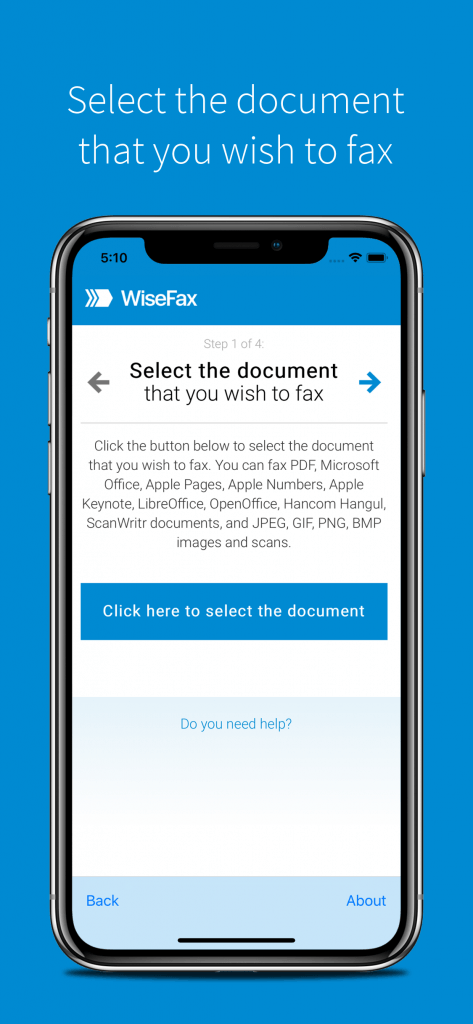
Send fax from iPhone quickly and easily with fax app for iOS
To send fax from iPhone, just install the WiseFax app on your iPhone, upload the document you want to fax, preview it and mark the pages to be sent. WiseFax will do the rest for you. WiseFax recognizes all the most common file types like Apple Pages document, Apple Numbers spreadsheet, Apple Keynote presentation, Adobe Acrobat PDF, MS Office documents, OpenOffice and LibreOffice documents, ScanWritr documents and many others. So, you don’t have to convert documents manually. It also supports sending JPEG, GIF, PNG, HEIC, TIFF and BMP picture formats, so you can easily take a photo of your physical document using your iPhone. WiseFax will automatically convert your document to fax and optimize it before sending.
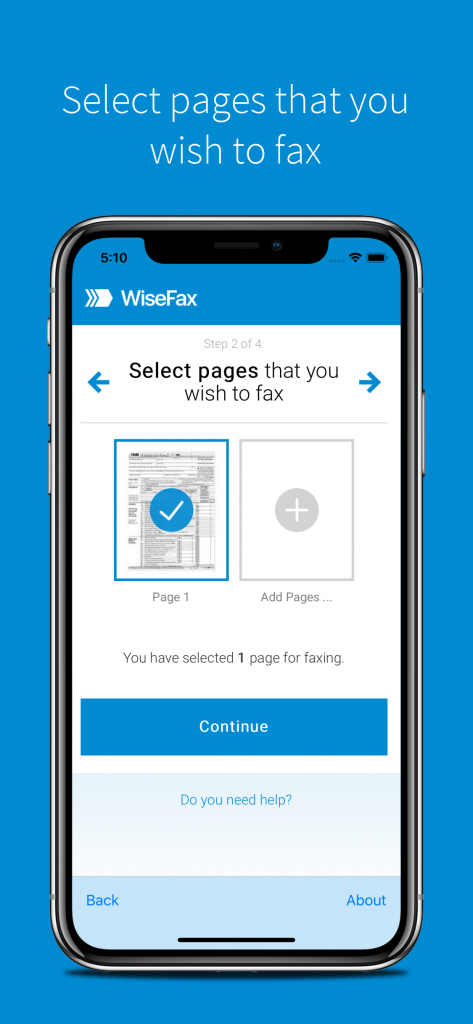
After you upload and select documents and pages for faxing, you only have to enter the recipient’s country and fax number, and you’re almost done.

To send fax from your iPhone you only need the WiseFax app
WiseFax is the best fax app for iPhone. It is free and you will be charged only for successfully sent internet faxes. There are no regular monthly costs and no hidden fees. WiseFax will calculate the price and present it to you before sending. So you always know the total cost before you approve it. The price is based only on the number of pages and the recipient’s location. After successful delivery, you will receive a fax confirmation by email.

Install the WiseFax app and start sending faxes all over the world
WiseFax is available on the App Store, so you just have to install it on your iPhone. Or, if you prefer using the online service, visit the WiseFax website. In conclusion, you will be able to send fax to any fax machine in the world from your iPhone. Try it now!
More resources
Best fax app for Mac
WiseFax app for Box
WiseFax add-on for Google Docs
How to fax a PDF document?
How to send a fax online?