


WiseFax download is available on this page. WiseFax is a Windows fax app that allows you to send a fax from your computer quickly and easily.
How to download WiseFax and fax a document?
- Download and run WiseFax.
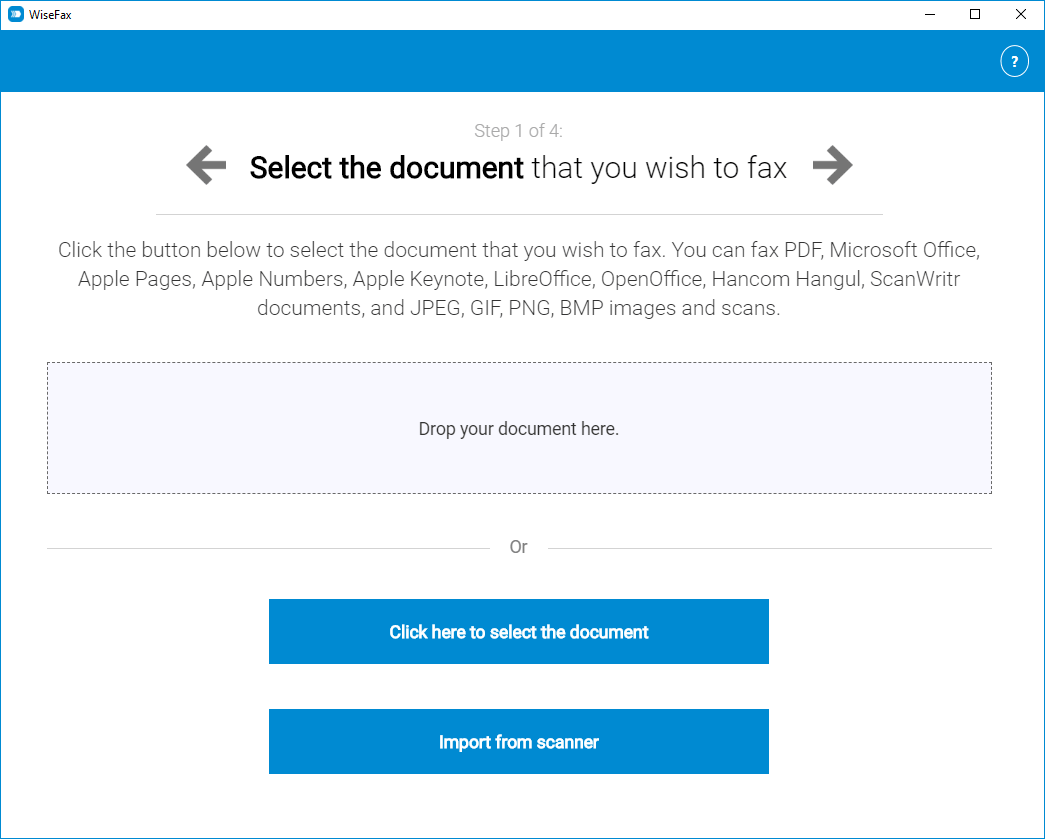
- Open or scan the document that you wish to fax.
- Select the recipient’s country and enter the recipient’s fax number.
- Sign in and make a one-time purchase of fax tokens, if required.
- Click the “Send” button to confirm your fax.
WiseFax supports PDF, Microsoft Office, Apple iWork, LibreOffice, OpenOffice, Hancom Hangul, ScanWritr documents, and JPEG, GIF, PNG, HEIC, BMP bitmaps and TIFF scans. You can also use your scanner to scan documents into WiseFax and fax them.
Installing WiseFax
Installing WiseFax is as easy as it gets. Simply download WiseFax by clicking this link and run it. WiseFax will automatically create a shortcut in your Start menu and on your desktop.

Sending a fax
Start by clicking the Click here to select the document button to choose the document you wish to fax, or by clicking the Import from scanner button to scan your document.
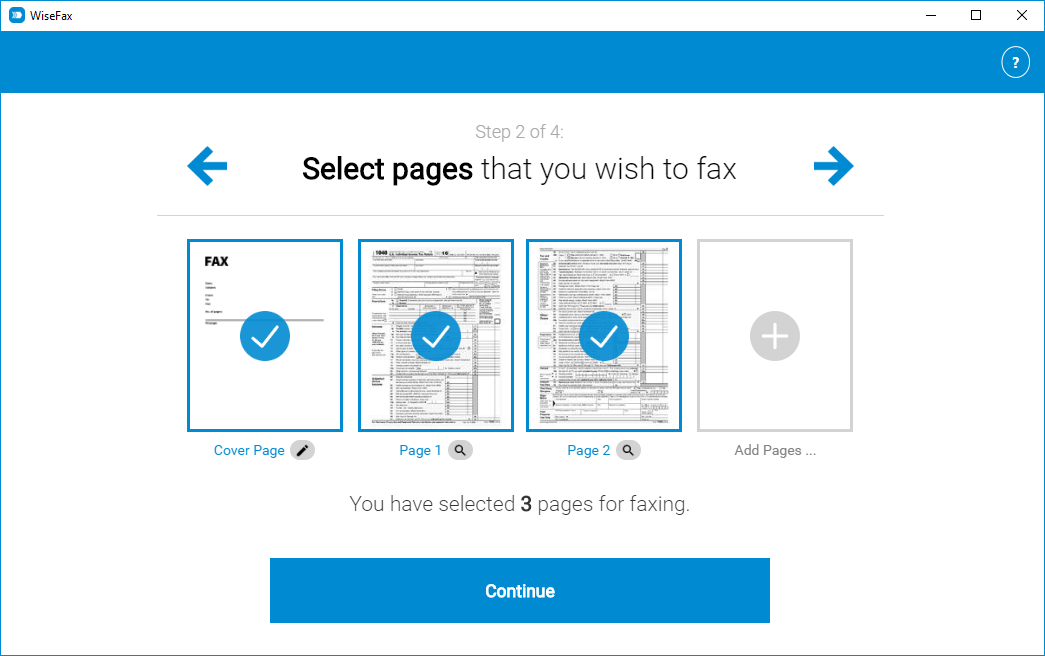
In the next step, you can preview the document, edit its content and select the pages that you wish to fax. Then enter the recipient’s fax number, and that’s it. WiseFax will do the rest for you. You will receive an email confirmation as soon as your fax is processed.
WiseFax is a pay-as-you-go fax sending service. Download WiseFax and you will be able to send a fax without signing up for a subscription. There are no hidden fees. Quick, simple and transparent.
Download the WiseFax app and start sending faxes instantly
WiseFax Windows fax app is available for Windows 11, 10, 8 and 7. Click here to install WiseFax on your computer and start sending faxes instantly.
More resources
Scan, crop, enhance, fax
How to fax a Word document?
WiseFax add-on for Google Docs
Fax from Gmail
How to send a fax online?
Download WiseFax and send fax from Windows 10, 8 or 7 now!